100ms
Designing the 100ms Ecosystem: From Promise to Product
100ms offers a powerful live video API built for scalable, customizable product experiences. Yet its sample app, a critical evaluation touchpoint for B2B teams, failed to reflect that flexibility due to cross-platform inconsistencies and limited extensibility. I led a system-level redesign across Web, mWeb, Android, and iOS, introducing a token-driven design foundation and an integrated customizer to transform the sample app into a scalable, enterprise-ready product showcase.
B2B
Video Infra
SaaS
The 100ms sample app, a critical evaluation touchpoint for prospective customers, suffered from cross-platform inconsistencies, fragmented UX patterns, and limited customization capabilities. This created friction during product evaluation and weakened the platform’s positioning as a scalable, extensible video infrastructure.
Led a system-level overhaul of the sample app across Web, mWeb, Android, and iOS. Established a token-driven design foundation to ensure cross-platform consistency, scalability, and efficient theming. Introduced a no-code customizer within the 100ms dashboard, enabling teams to configure and deploy tailored video experiences without engineering overhead.
As Founding Designer, I partnered closely with Product and Engineering to redefine the app architecture and design system. Built a scalable color-token framework, expanded and standardized 100+ components, redesigned 30+ user flows across platforms, and drove the integration of a dashboard-based customizer to streamline adoption and reduce time to value.
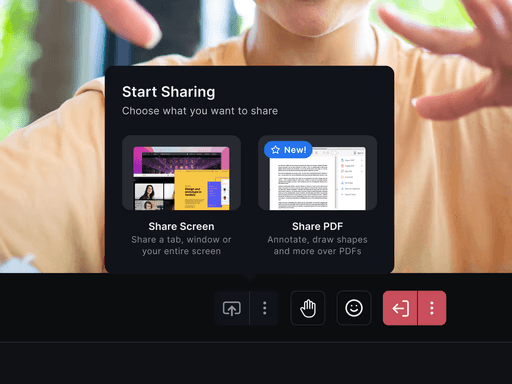
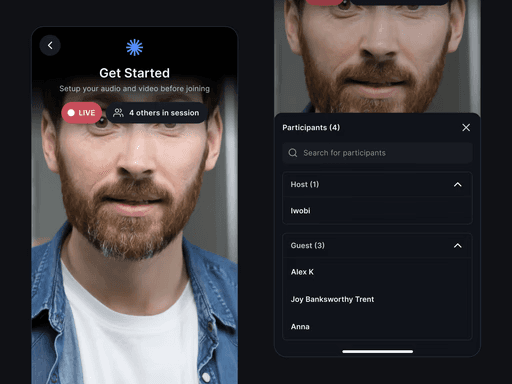
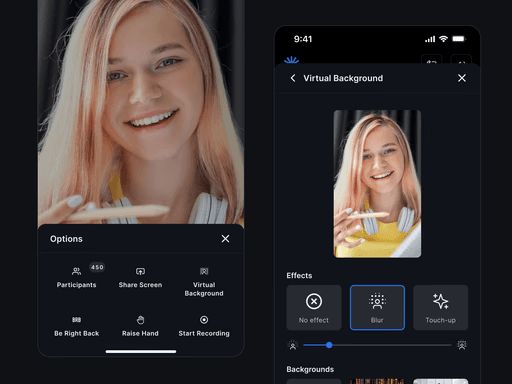
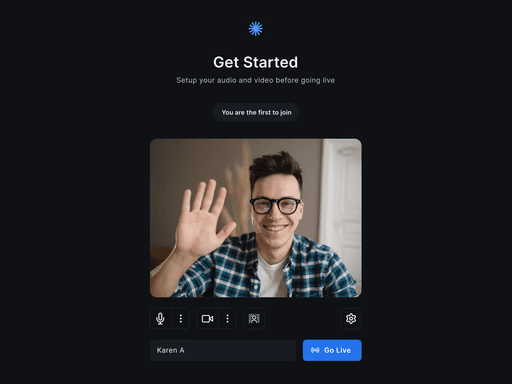
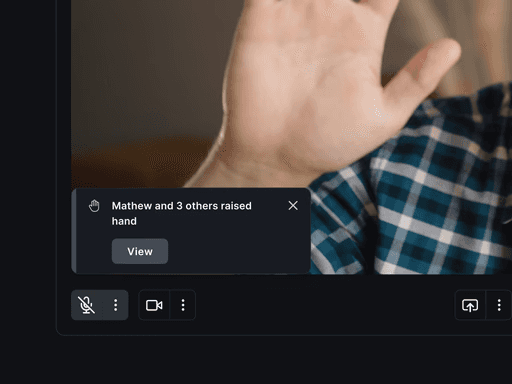
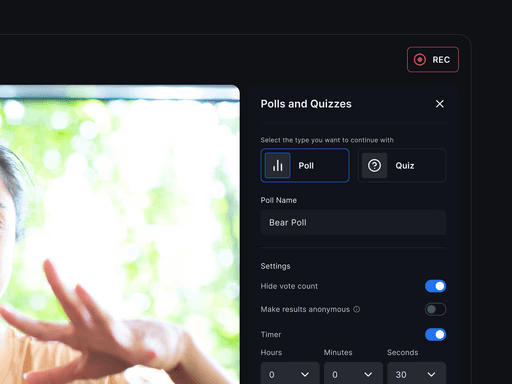
The previous iteration, referred to as the “sample app,” exposed several structural limitations. It lacked a no-code customization layer, forcing customers to integrate the 100ms Video SDK and build bespoke configurations before realizing value. This significantly increased turnaround time and introduced avoidable engineering overhead during the evaluation phase. As a result, many prospective customers dropped off before fully experiencing the platform’s capabilities. The absence of use-case-specific presets further compounded the issue, requiring teams to manually adjust roles, layouts, and settings to fit their needs. What was intended to accelerate adoption instead became a barrier to entry.
Our solution offers a seamless, no-code method for configuring and deploying apps. This versatile platform primarily supports standalone web and mobile apps, and extends compatibility across various platforms.
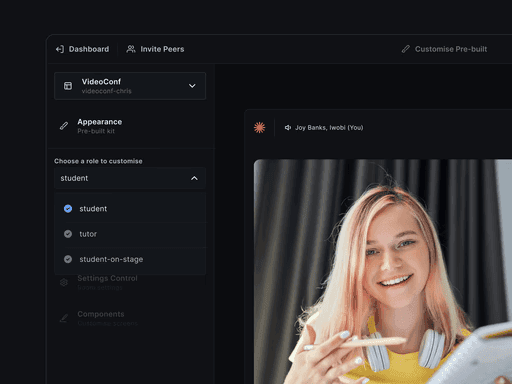
The goal here was to enable customers (and our sales team) to demo, customize Pre-built Kits and Room Elements on dashboard.
Approach 1: Reveal UI component code to enable customization by customer developers through 100ms Docs.
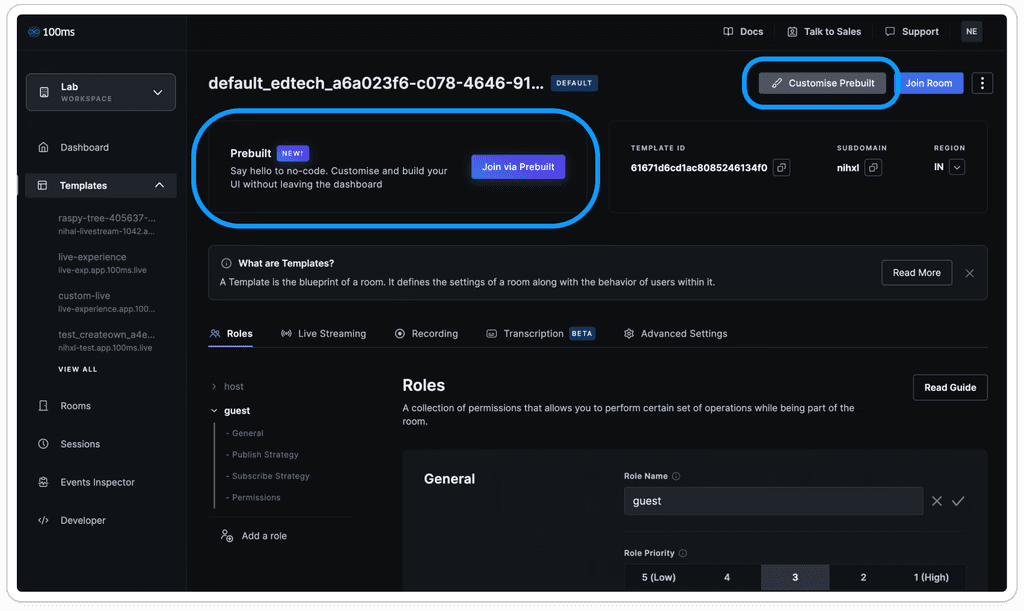
Approach 2: Prebuilt Customiser. This tool allows customers to customize Prebuilt templates according to their specific needs or preferences. It provides a way for customers to modify various aspects of the prebuilt design, such as appearance, roles, and settings. It empowers users to tailor Prebuilt templates to suit their unique requirements, saving time and effort in creating custom designs from scratch.
Customers can access the Prebuilt Customiser through guided onboarding, which helps identify their use case and automatically tailor the template to their needs.
Beyond onboarding, additional discovery points are embedded across the dashboard, with the Template page serving as the primary customization hub where customers configure and refine their app experience.
Design tokens embody the subtle, repeated design decisions that shape a design system's visual appeal. Tokens replace static values, such as color hex codes, with comprehensible names. This also allows customers to easily change colors by adjusting a hex code.
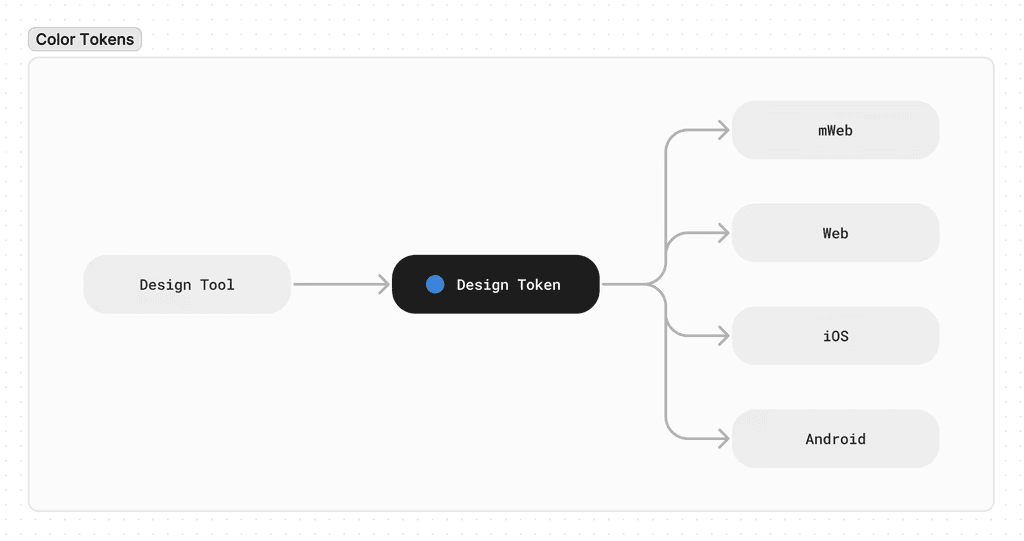
Incorporating these color tokens into Figma using variables allowed us to maintain design consistency across various platforms.
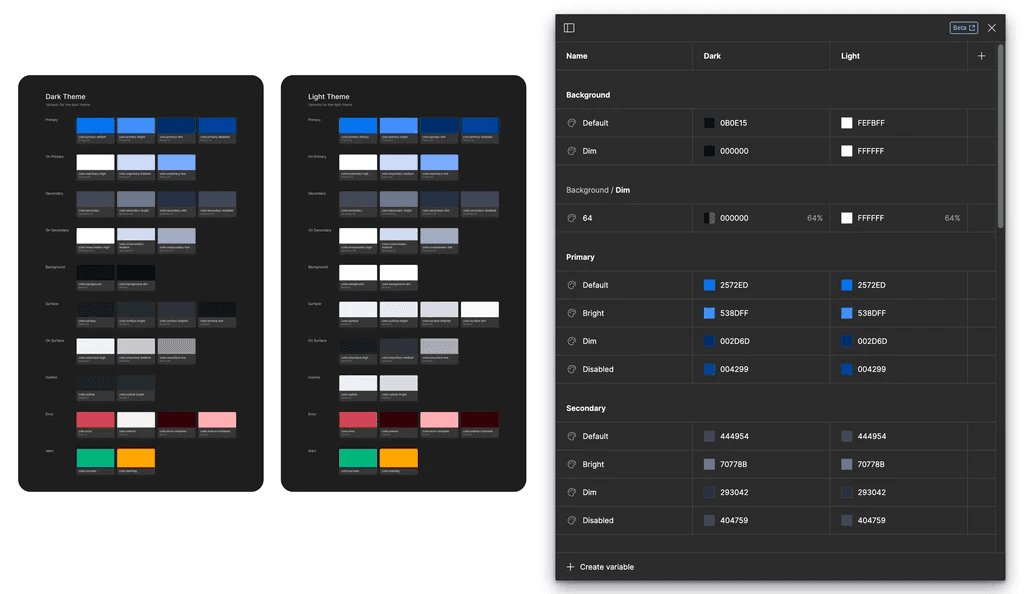
Customers can effortlessly personalize their Prebuilt applications using our Prebuilt Customizer by changing the hex codes, as demonstrated in the video below.
Collaborated closely with the engineering and product teams to revamp the design system, encompassing typographic styles, as well as mobile and web components, all without significantly altering existing sample app components in order to minimize extensive engineering work.
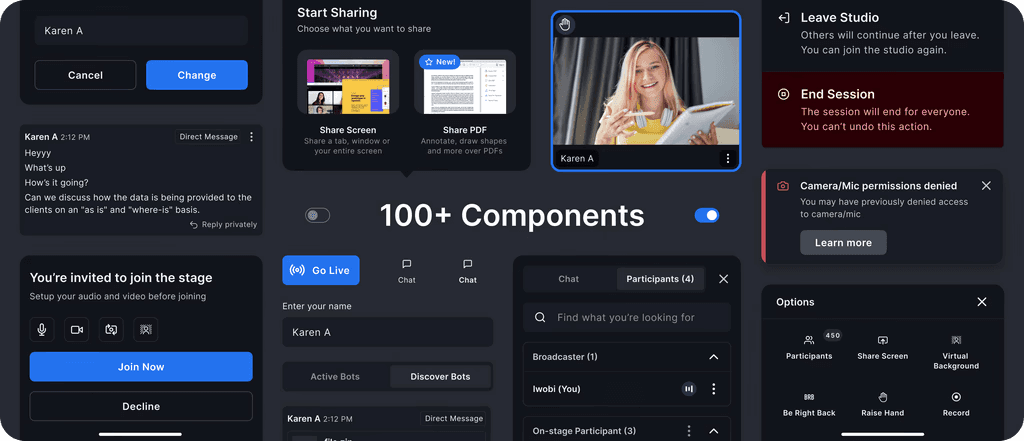
With the power of color tokens, we are able to easily implement light and dark modes within Figma and in the Prebuilt Customizer.
The existing configuration isn't highly customizable unless you dive into the code and modify it; it's unfit for a 1:1 call. Furthermore, it lacks responsiveness, retaining its consistency across breakpoints.
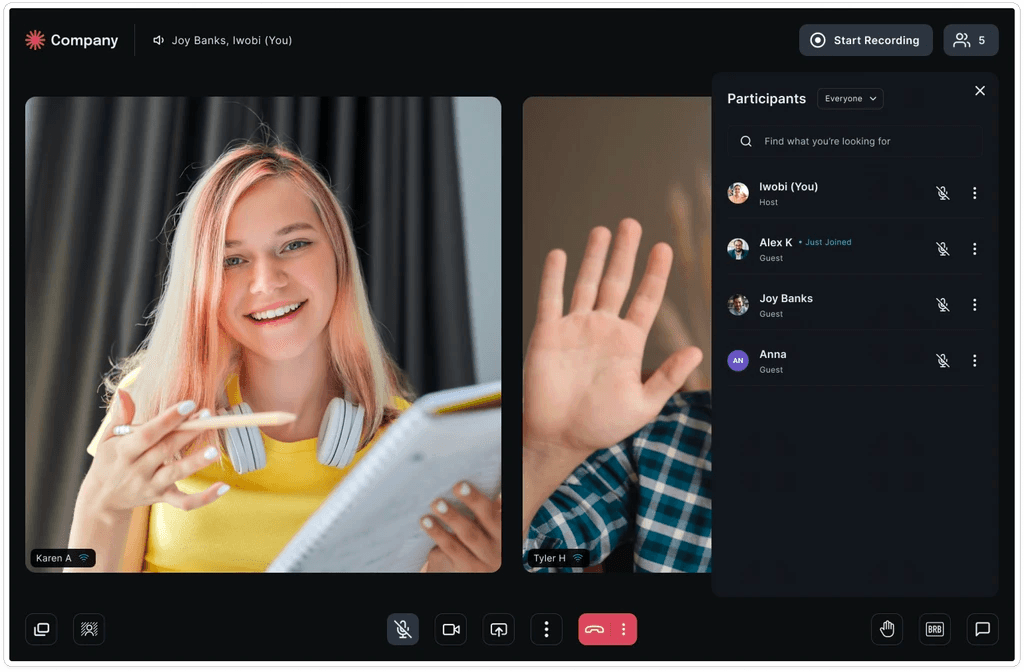
Prebuilt marks the start of a journey to make video creation as low-code as possible, and the results prove that we're on the right track. Impact from the first 3 months of release:
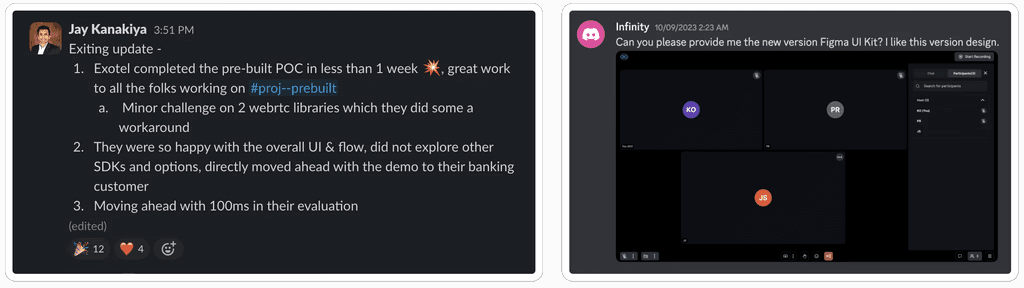
At 100ms, customers are at the center of every product decision. Our goal was to reduce integration complexity and make live video customization seamless, intuitive, and scalable. The positive feedback and increased adoption validated the direction of our system-led approach and reinforced the impact of building for real customer needs.
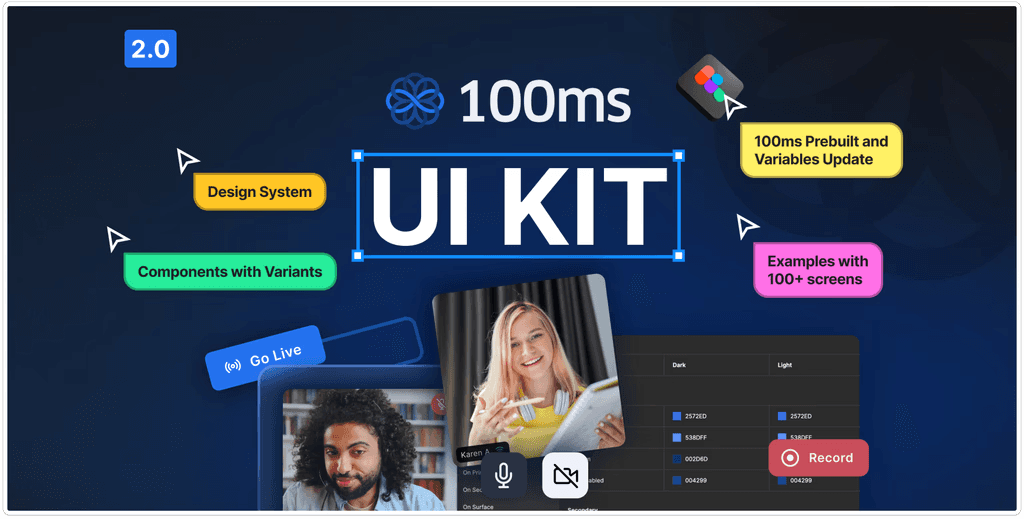
We have created a system of colors, typography, and components to help you design your own video conferencing, live streaming, and any video/audio experience imaginable based completely on Prebuilt.